
Uplink by Play 2 Earn Sports
The sports challenge app for athletes and teams
Pick a skill challenge, film your attempt, share it with your team and climb the leaderboard. Uplink turns everyday training into friendly competition, and it is free.
Inside the app
Real Uplink screens, built for your phone
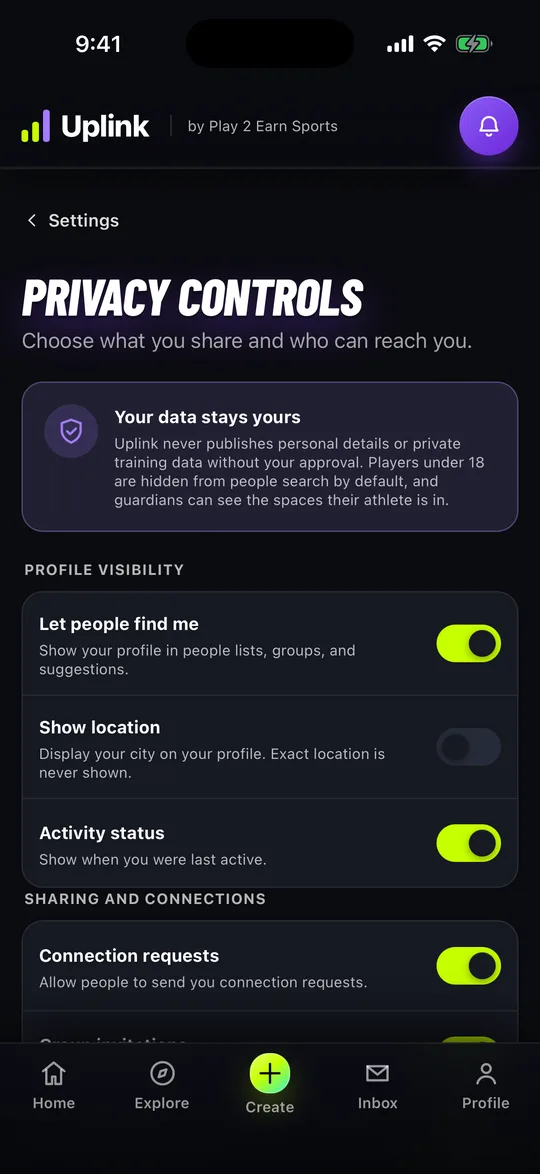
These are screens from the Uplink app itself: the challenge list, a live challenge, the post composer, your player profile and your privacy controls. Swipe or scroll to see each one.
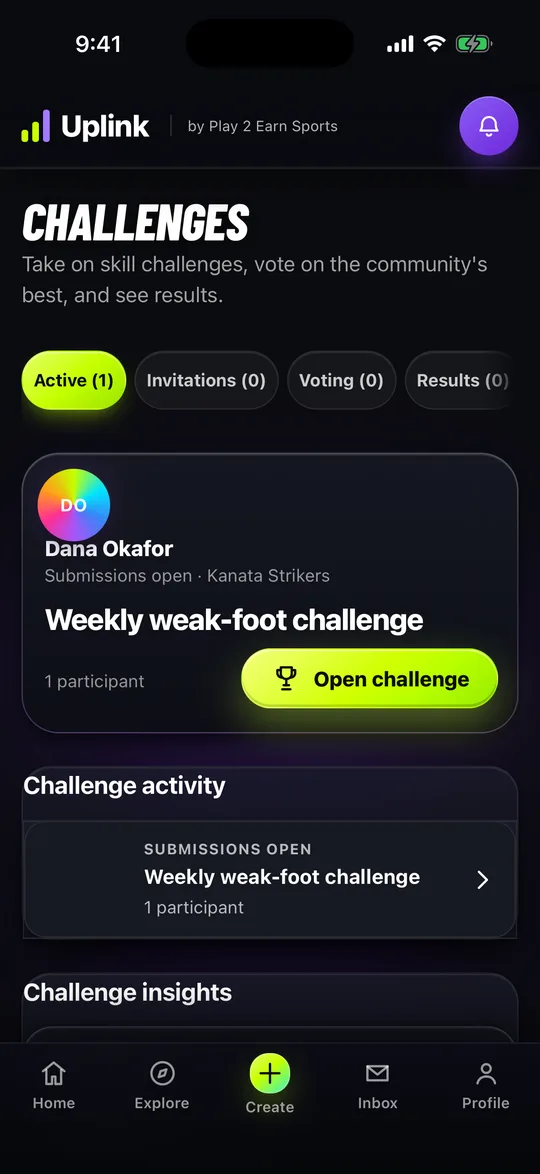
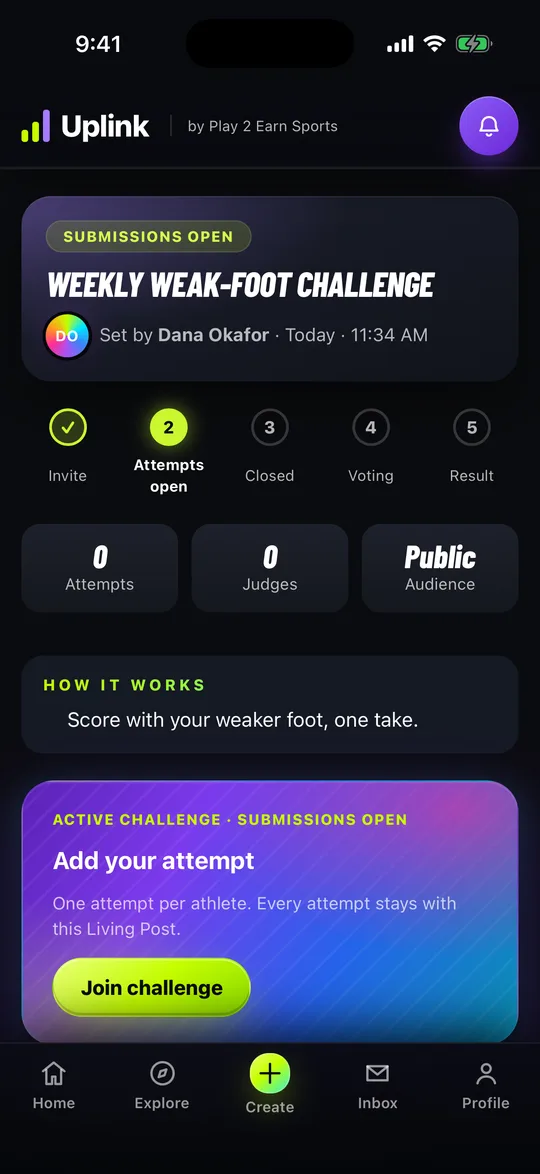
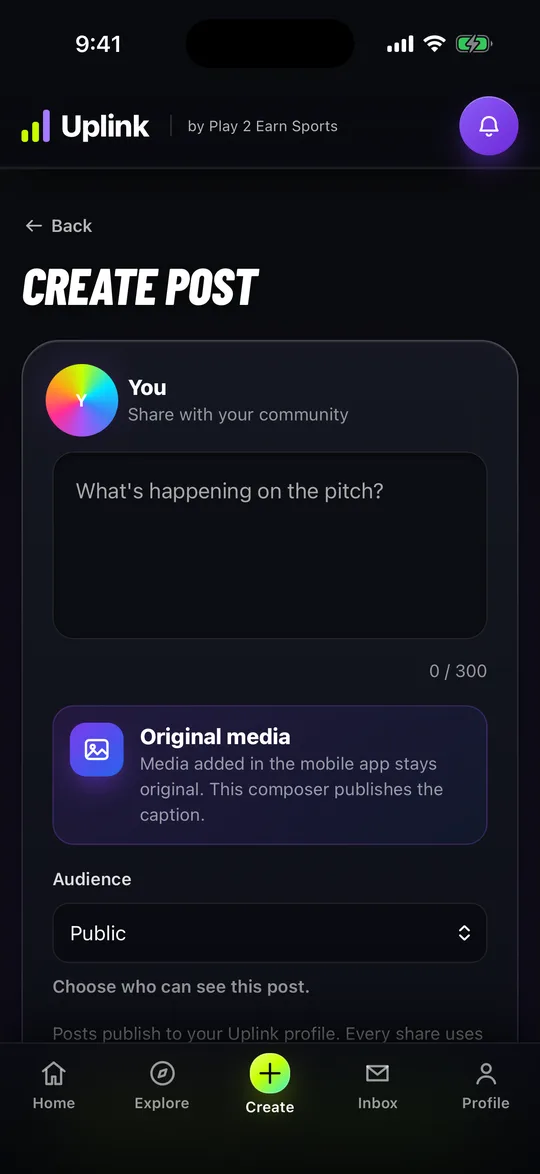
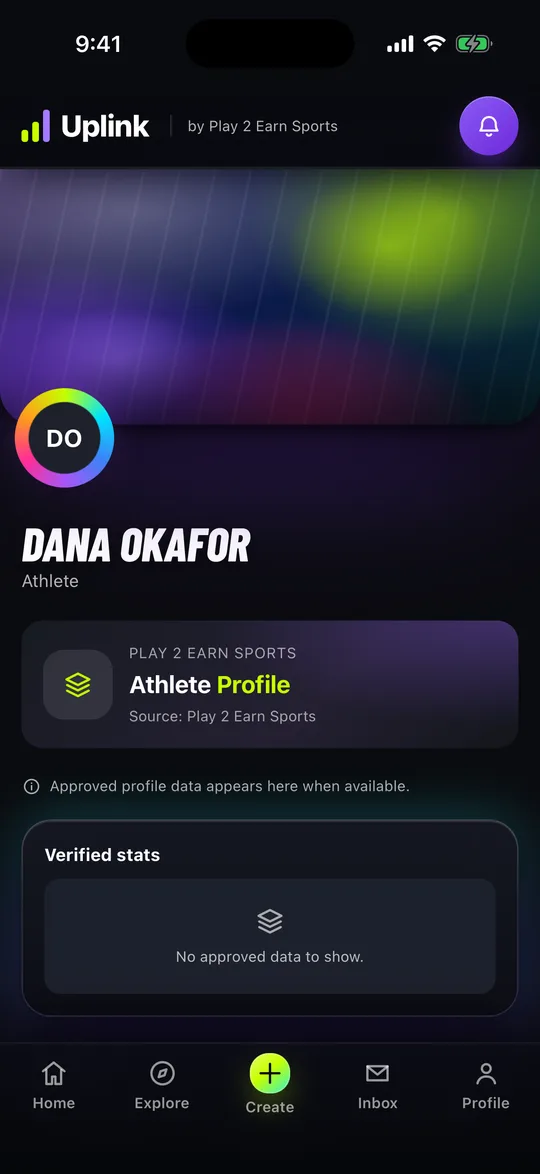
Challenge showcase
Challenges people actually want to beat
Every Uplink challenge has a simple rule and a score to beat: most makes out of ten, the fastest ten metres, the most clean punches in thirty seconds. Film it, post it and see who answers.
- Crossover layup
- Free kick target
- Shadow box 30
- Block start 10 m
- Catch and shoot
- Mid-range 5 spots
How it works
Four steps from practice to podium
- 1
Pick a challenge
Choose a skill challenge for your sport, from juggling and free kicks to layups, serves and sprint starts. Each one shows the rule, how to score it and a safety note where it matters.
- 2
Film your attempt
Prop your phone up, hit record and give it your best. Uplink keeps your original clip, so the attempt your team sees is the one you filmed.
- 3
Share it with your team
Post the attempt to your team or your followers and pick who can see it. Teammates can react, reply and send back their own try.
- 4
Climb the leaderboard
Scores land on the challenge leaderboard so everyone can see the number to beat. Come back next week, go again and move up.
For coaches, clubs and leagues
Team challenges that keep players training
Set a challenge for your roster between practices and let players compete at home, in the backyard or at the park. You choose the skill and the deadline, players post their attempts, and the leaderboard shows who put in the work. It is an easy way to keep the off-season busy and to give quieter players a moment in the spotlight.
Clubs can run the same challenge across every team, and the guide to running a team challenge walks through rules, judging and prizes step by step. For younger squads, read safe sharing for youth teams first.
Coming soon
League-wide challenges
Soon a league will be able to post one challenge for every club and team it runs, with a single leaderboard across the whole league. It is a simple way to connect teams that never share a field. Until then, clubs can run the same challenge team by team.
Running a league already? See league management software.
Add to home screen
Put Uplink on your phone today
You do not have to wait for a store download. Open Uplink in your phone's browser, then add it to your home screen and it opens full screen, just like an app.
- iPhone: open Uplink in Safari, tap the Share button, then tap Add to Home Screen.
- Android: open Uplink in Chrome, tap the menu, then tap Install app or Add to Home screen.
One account
Your Play 2 Earn Sports sign-in works here
Uplink uses the same free account as the rest of Play 2 Earn Sports, so your athlete profile, your teams and your clips stay together. The iPhone and Android store apps are on the way, and they will use the same sign-in.
New here? Create a free account.
Explore Uplink
Challenges by sport and how-to guides
Start at the Uplink challenges hub, or jump straight to your sport. Each sport page lists challenge ideas with rules, filming tips and age notes.
- Soccer challenges
- Basketball challenges
- Hockey challenges
- Baseball challenges
- Football challenges
- Lacrosse challenges
- Rugby challenges
- Volleyball challenges
- Field hockey challenges
- Tennis challenges
- Swimming challenges
- Track and field challenges
- Golf challenges
Guides
FAQ
Uplink app questions
What is the Uplink app?
Uplink by Play 2 Earn Sports is a sports challenge app for athletes and teams. You pick a skill challenge, film your attempt, share it with your team and see where you rank on the leaderboard.
Is Uplink free?
Yes. Joining challenges, posting clips and following your team in Uplink are free.
How do I get Uplink on my phone?
Open Uplink in your phone's browser and add it to your home screen. It then opens like an app. The iPhone and Android store apps are on the way.
Can a coach run a challenge for the whole team?
Yes. A coach or club can set a team challenge, invite the roster, collect attempts and share the results. League-wide challenges are coming.
Who can see the clips I post?
You choose the audience when you post. Players under 18 are hidden from people search by default, and guardians can see the spaces their athlete is in.
Do I need a Play 2 Earn Sports account?
Uplink uses your Play 2 Earn Sports sign-in, so one free account covers Uplink and the rest of the platform, including your athlete profile.