

Team RSVP app
Sports team RSVP app: know who is coming before you plan practice
This page is for coaches and team managers who want to know who is coming to practice and games, without chasing replies. The routine works including a group message and a notebook; the product section comes after.
Starter is free for clubs with up to 10 teams.

Watch the video guide
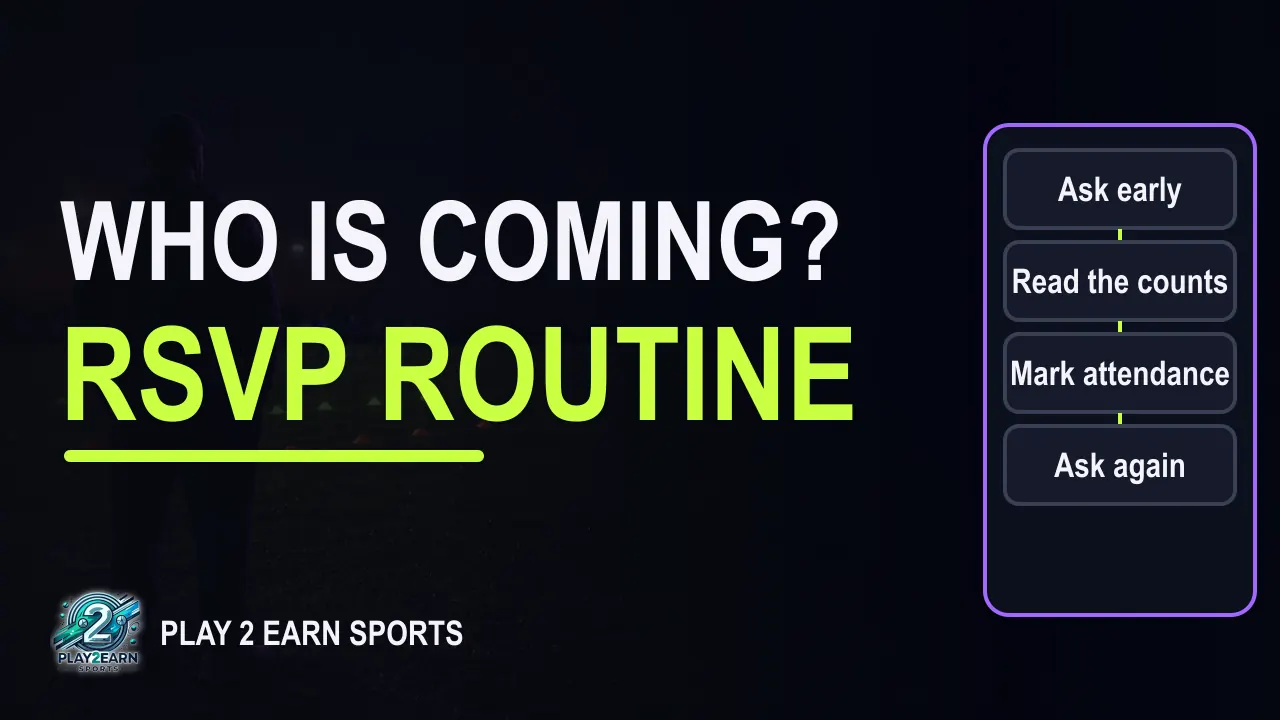
Read the video transcript
Know who is coming before you plan
0:00 By the end of this video, you will know who is coming before you plan each practice or game. You will also know how to read the answers, and what to record afterwards. We will cover four habits. Ask early, with one clear reply-by time.
0:12 Read the counts and then the names. Mark attendance after the session. And ask again, calmly, when a time moves.
What is the difference between an RSVP and attendance?
0:22 An RSVP is a plan. It tells you who expects to come. Attendance is a record. It tells you who really came.
0:31 Keep the two separate, and both stay useful all season. Most teams use three answers: Going, Maybe and Can't go. The fourth group matters too: the players who have not answered yet. That group tells you who to ask next.
How do I get parents to RSVP on time?
0:46 Families answer more often when the question is simple. Ask on the game or practice itself, not inside a long message. Give one reply-by time, such as the evening before practice. A useful starting rule is forty-eight hours before a game and the evening before a practice.
1:04 Say the rule once at the start of the season, then keep it the same each week. Put the arrival time, the place and what to bring on the item too. When families find the details next to the question, they answer the question.
Read the counts, then the names
1:18 Read the counts first. They tell you how big the session can be. Then read the names. They tell you which groups, positions or pairs will work on the night.
A typical practice week
1:28 Here is a typical example. It is illustrative, not a specific club. An under-twelve team has fourteen players and has practice on Tuesday. The reply-by time is Monday at eight in the evening.
1:41 On Monday morning, nine players are going, two are maybes, one is away, and two have not answered. That adds up to fourteen. The coach sends one reminder about the practice. By Monday evening, one maybe has become a yes.
1:55 Of the two who had not answered, one is going and one is away. Now it is eleven going, one maybe and two away. Still fourteen. The coach plans for twelve, counting the maybe.
2:07 That makes three groups of four for the passing drill. If the maybe stays home, one group works as a three.
Mark attendance after the session
2:15 After practice, mark attendance with four statuses: present, late, absent and excused. Ten players were present and one arrived late. One player who said going was absent. The two who said they could not come are excused.
2:30 Eleven said going and eleven came, but not the same eleven. The maybe came, and one yes stayed home. That is why the RSVP and the attendance record are kept separately.
When a practice time changes
2:42 Times move. When one does, change the item itself rather than sending a side message. Then ask families to check their answer for the new time, and read the counts again.
How Play 2 Earn Sports helps
2:53 Now, how Play 2 Earn Sports helps. The team and club calendar shows games, practices and events on web and phone. Players and parents answer Going, Maybe or Can't go. Coaches see the counts and the names.
3:09 A coach can send one manual in-app reminder per item, at most once every twenty-four hours. Today, that reminder is the coach's tap, so the reply-by time still does most of the work. Coaches and club staff mark attendance as present, late, absent or excused, separately from RSVPs. When a team event, team game or club game changes, affected families get in-app, email and push notices by default, and can opt out of event email and push.
3:40 Ask early, read the counts and the names, mark attendance, and ask again when a time moves. The full guide is on the page linked in the description. Coaching one team? Start a free club account for your team.
3:53 Starter is free for clubs with up to 10 teams. Thanks for watching.
RSVP and attendance are two different things
An RSVP is a plan: who expects to come. Attendance is a record: who really came, and how.
| RSVP | Attendance | |
|---|---|---|
| When | Before the practice or game | During or after it |
| Who answers | Players and parents | The coach or club staff |
| Typical answers | Going, Maybe, Can't go (or no answer yet) | Present, late, absent, excused |
| What it is for | Sizing the session, setting groups and the lineup | Patterns over a season, follow-up conversations |
Keep them separate. If you overwrite the RSVP with what happened, you lose the plan. If you treat the RSVP as attendance, a player who said "going" and stayed home looks the same as one who came. Over a season, the gap between the two is one of the most useful things a coach can see.
Step 1
Ask early, on the item, with one reply-by time
Families answer more often when the question is simple and the details sit right next to it.
- Ask on the practice or game itself, not inside a long message thread. One item, one question.
- Give one reply-by time. A useful starting rule: 48 hours before a game, and the evening before a practice. Say it once at the start of the season and keep it the same each week.
- Put the details on the item: arrival time, place, what to bring, and who to ask. When the answer and the details live together, families answer the question instead of asking new ones.
- Agree who answers for younger players. For younger players, a parent usually answers. Older players can answer for themselves, with parents able to see it.
Step 2
Read the counts, then the names
- Counts set the size. How many Going, how many Maybe, how many Can't go, and how many have not answered yet. The last group tells you who to ask next.
- Names set the groups. Two goalkeepers away changes the session, even if the count looks fine. Read the names before you finalise groups, positions or pairs.
- Plan for Going plus Maybe, and have a fallback if the maybes stay home.
Worked example
One practice week for a fourteen-player team
Illustrative example, not a specific club.
An under-12 team has 14 players and practises on Tuesday. The reply-by time is Monday at 8:00 p.m.
| Moment | Going | Maybe | Can't go | No answer yet | Total |
|---|---|---|---|---|---|
| Monday morning | 9 | 2 | 1 | 2 | 14 |
| The coach sends one reminder about the practice | |||||
| Monday evening | 11 | 1 | 2 | 0 | 14 |
What changed: one Maybe became Going; of the two who had not answered, one is Going and one Can't go. So Going is 9 + 1 + 1 = 11, Maybe is 2 − 1 = 1, and Can't go is 1 + 1 = 2.
The plan. The coach plans for 12 (11 Going plus the Maybe): three groups of four for the passing drill. If the Maybe stays home, one group works as a three.
After practice, attendance:
| Status | Players | Who |
|---|---|---|
| Present | 10 | Nine who said Going, plus the Maybe |
| Late | 1 | One who said Going |
| Absent | 1 | One who said Going and stayed home |
| Excused | 2 | The two who said Can't go |
| Total | 14 |
Eleven said Going and eleven came (10 present + 1 late), but not the same eleven: the Maybe came, and one Going stayed home. That is exactly why the RSVP and the attendance record are kept separately. If the same player is absent after saying Going several weeks in a row, it is a kind moment for a quiet conversation with the family, not a public one.
Step 3
Mark attendance after every session
Take two minutes after practice. Use four statuses: present, late, absent, excused. "Excused" is for players who told you in advance; "absent" is for those who did not come without notice. Over a season, attendance shows patterns an RSVP alone does not: a player drifting away, a practice night that does not suit families, or a time that keeps running late.
Step 4
When a time changes, ask again
Times move: a field closes, a game is rescheduled, a practice shifts by an hour. When it happens:
- Change the item itself, rather than sending a side message about it.
- Ask families to check their answer for the new time. A "Going" for 6:00 may not be a "Going" for 7:30.
- Read the counts again before you plan the session.
Checklist: a weekly RSVP routine
- Every practice and game has its own item, with arrival time, place and what to bring.
- One reply-by time, shared at the start of the season.
- Counts read first, names read second.
- A plan for Going plus Maybe, with a fallback.
- At most one reminder, sent before the reply-by time.
- Attendance marked after the session: present, late, absent, excused.
- When a time changes: change the item, ask again, read the counts again.
How Play 2 Earn Sports supports team RSVPs
Play 2 Earn Sports is one app for the whole team: schedule, RSVPs, chat and notices in one place.
-
One calendar
The team and club calendar shows games, practices and events on web and phone.
-
Three answers, one view
Players and parents answer Going, Maybe or Can't go, and coaches see the counts and the names.
-
A manual reminder
A coach can send one manual in-app reminder per item, at most once every 24 hours. Today, the reminder is the coach's tap, so a clear reply-by time still does most of the work.
-
Attendance, kept separate
Coaches and club staff mark attendance as present, late, absent or excused, separately from RSVPs.
-
Change notices
When a team event, team game or club game changes, affected families get in-app, email and push notices by default, and can opt out of event email and push.
-
Parents with several children
One parent account switches between several children on different teams.
-
On the phone
The app installs from the website on iPhone and Android, not from the app stores. Tap Turn on notifications to get notices on the phone; on iPhone, add it to the Home Screen first.
-
Adding to a personal calendar
Families can add a single event to Google or Apple Calendar with an .ics link. Today, adding events to a personal calendar is one event at a time, so families pick the ones they want.
Coaches can join their club through the coach sign-up, and the club approves them. Coaching one team on your own? Start a free club account for your team at Club Starter, then add your team and coach. Starter is free for clubs with up to 10 teams, and every organization feature is on every plan.
Know who is coming before you plan.
The team app
More from the team app
-
For coaches
An app for the whole coaching week.
See the page -
For parents
One app for all your children's teams.
See the page
Questions
Frequentlyasked questions
A team RSVP app lets players and parents answer each practice and game, and shows the coach who is coming. In Play 2 Earn Sports, the answers are Going, Maybe or Can't go, and coaches see the counts and the names.
An RSVP is the plan, made before the session by players and parents. Attendance is the record of what happened, marked by the coach or club staff. Keep them separate so you can see when the two differ.
Ask on the item itself, give one reply-by time and keep it the same each week, and put the arrival time, place and what to bring next to the question. Families answer a simple question faster than a long message.
Read the counts to size the session, then the names to set the groups. Plan for Going plus Maybe, and look at who has not answered yet before the reply-by time.
Today, reminders are manual: a coach can send one in-app reminder per item, at most once every 24 hours. A clear reply-by time, shared at the start of the season, does most of the work.
When a team event, team game or club game changes, affected families get in-app, email and push notices by default, and can opt out of event email and push. Ask families to check their answer for the new time, then read the counts again.
Yes. One parent account switches between several children on different teams, so a parent can answer for each child.
Coaching one team? Start a free club account for your team at Club Starter. Starter is free for clubs with up to 10 teams. Pro is $49.67 USD a month for 11 to 25 teams. Unlimited is $99.67 USD a month for 26 or more teams. Every organization feature is on every plan. See pricing.
