


On this page
Is WhatsApp good for sports teams?
WhatsApp is fast, familiar and free, so it is the default group chat for many teams. It suits adult teams where everyone already shares numbers. For youth clubs, the gaps show up over a season: the group belongs to whoever made it, new families miss the early messages, a coach's phone number is public to the whole group, and the club has no say in who messages a minor in private.
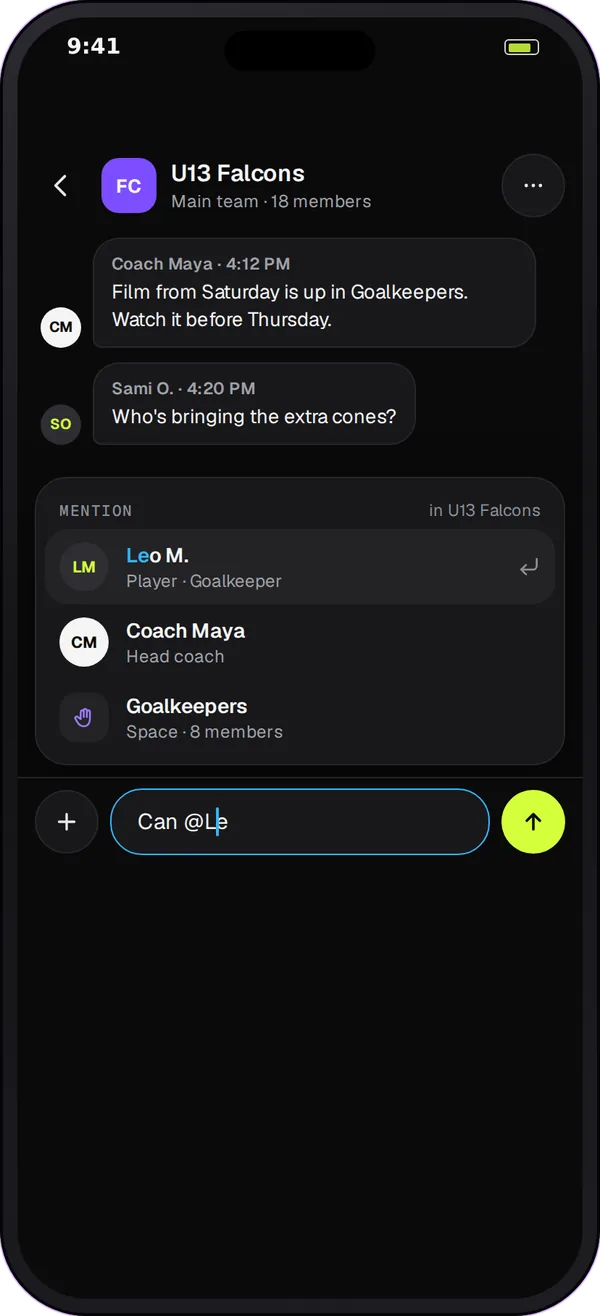
Where WhatsApp groups and communities fall short for clubs
Groups run on personal phone numbers
A WhatsApp group starts from somebody's contacts. Coaches hand out their own number, parents add each other, and messages arrive at any hour. When the coach moves on, the group often goes with them.
Membership is whoever was added
Nobody checks that the people in the group are the people on the roster. A parent from last season can still be reading, and a new family can be left out for weeks.
Important messages get buried
A field change sits between jokes and photos. Read ticks show that a phone opened the chat, not that a parent took in the change. Coaches end up asking "did everyone see this?"
Young players need adult rules
Many club policies ask that a parent is included whenever an adult messages a young player privately. A phone-number chat app has no idea who is a minor, who the guardian is, or who coaches the team.
WhatsApp vs Team Chat for a youth team
| Need | WhatsApp group | Team Chat |
|---|---|---|
| Who is in the chat | Whoever was added by phone number | People on the team, by role: players, coaches, staff and linked guardians |
| Private message to a player under 18 | Allowed with no parent in view | A linked parent or guardian joins the conversation, and can't be removed |
| Younger players | Same rules as adults | Players under 14 can only message their own teammates privately |
| Important messages | A normal message with read ticks | An announcement with an acknowledgement button, a waiting list and a reminder |
| Parents | In the same group as players, or in a second group | A Parents channel, plus read-only access to their child's Team channel |
| Quiet evenings | Each person mutes the group | Quiet hours and per-space mutes; the club can let canceled-practice and venue-change notices through |
| Reporting a problem | Reports go to WhatsApp | Reports go to the club's owner and managers |
How Team Chat helps clubs that start on WhatsApp
-
Channels the club owns
Each team gets Team, Coaches and Parents channels. People join by their role on the team, not by sharing phone numbers, and when a coach leaves, the next coach joins the same channels.
-
Announcements, not just messages
Post an announcement and people tap to acknowledge it. Coaches see who has acknowledged, who is still waiting and who has a question, and can send one reminder to the people still waiting.
-
Guardians in view
Parents and guardians can read their child's Team channel without posting there, and any private chat between an adult and a minor brings in a guardian.
-
Spaces for the rest
Add spaces for a position group, a training group, an event or parent helpers, so the main channel stays on topic. The club decides who can create each kind.
Moving a team from WhatsApp in 4 steps
-
Create the club and the team
Start a free club account, add the team and invite coaches. Starter is free for clubs with up to 10 teams.
-
Invite players and families
Players and parents join the team by invitation. Guardians are linked to their own child, which is what puts them in view of the right conversations.
-
Post the first announcement
Post "We're moving team messages here" as an announcement and ask everyone to acknowledge it. The waiting list shows who still needs a nudge.
-
Retire the old group
Pin a last message in the WhatsApp group with the date it stops being used for team news. Families can keep a social group if they like; official team information lives in Team Chat.
Switching checklist
- Agree a date when official team news moves out of WhatsApp.
- Invite every player and link each guardian to their child.
- Post the switch as an announcement and check the waiting list.
- Set the team's quiet hours and tell families what still comes through.
- Ask coaches to stop messaging minors from personal numbers.
- Leave one pinned note in the old group pointing to Team Chat.
Questions
WhatsApp encrypts messages, but it doesn't know who is a minor, who the guardian is or who coaches the team. That means a coach can message a young player privately with no parent in view. Many clubs want that rule enforced by the tool, not left to habit. Team Chat brings a linked guardian into any private chat between an adult and a player under 18.
Yes. Many teams keep a social group for banter. The usual rule is that schedule changes, announcements and anything a family must act on go through Team Chat, so there is one place to check and a record the club can look back on.
Communities group several chats under one club and add an announcement group, which helps. They still run on phone numbers and have no idea of team roles, guardians or ages. Team Chat ties each conversation to a team or club, with roles, linked guardians and club settings for who can create spaces.
No store download is needed. Team Chat runs in the Play 2 Earn Sports web app in the phone's browser and on a computer, and it can be added to the home screen. There is no separate Team Chat app in the App Store or Google Play yet.
Starter is free for clubs with up to 10 teams, and players and families join free. Larger clubs can book a demo to talk through their setup.
