


On this page
Why coaches look for Slack for sports teams
One group chat for everything stops working once a team has more than a handful of topics. Practice changes, carpools, the goalkeepers' session and next weekend's tournament all land in the same feed. Channels fix that by giving each topic a room. Slack and Discord are built for workplaces and online communities, though, not for teams of minors with parents watching, so clubs end up wanting channels with youth-sport rules on top.
Slack or Discord vs Team Chat for a youth club
| Need | Slack or Discord | Team Chat |
|---|---|---|
| Channels by topic | Yes, created by members or admins | Team, Coaches and Parents channels for each team, plus Team Spaces |
| Who can join | Anyone invited to the workspace or server | People on the team by role; spaces are tied to a club, team or event, never public |
| Young players | Same rules as adults | No private adult-to-minor chat without a guardian; players under 14 message only teammates privately |
| Parents | Added like any member | Linked to their own child; they can read their child's Team channel and event rooms |
| Who creates channels | Set per workspace or server | Club settings decide who creates each kind of space |
| Sports tools | Through add-ons | Announcements with acknowledgements, polls, action cards, play cards and event rooms are built in |
Kinds of Team Spaces
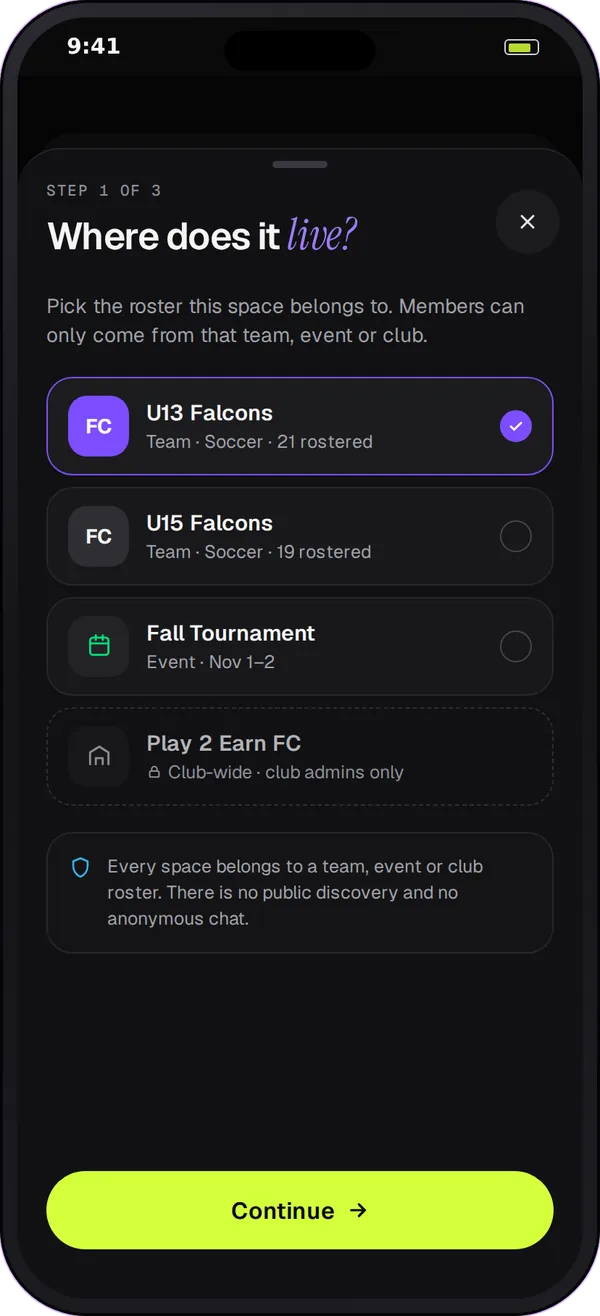
A Team Space is a channel with a job. Clubs can use these kinds:
- Position groups: goalkeepers, defenders or point guards, for position-specific notes and clips.
- Training groups: an extra skills session or a strength group that isn't the whole roster.
- Event groups: one room for a tournament, a trip or a single game, with the event's details at the top.
- Parent helpers: a space for the parents who run snacks, carpools or the team table.
- Club-wide spaces: for all the coaches or all the families in the club.
- Announcement spaces: post-by-staff rooms where families read and acknowledge but don't reply-all.
How Team Chat runs spaces safely
-
The club sets who creates what
By default, coaches and club managers create team spaces, parents can create parent-helper spaces and club admins create club-wide ones. Spaces that players or parents create on their own are off until the club turns them on.
-
Guardians stay in view
Linked guardians can read any space their under-18 child is in. They read without posting, and the space owner sees a warning to add a second coach or manager.
-
Nothing is public
Every space belongs to a club, a team or an event. There are no open servers or invite links that strangers can find.
-
Archive when it's done
When the tournament is over, archive its space. It stops cluttering the list, and the club can still look back at it.
Set up your first spaces in 4 steps
-
Start with the team channels
Each team gets Team, Coaches and Parents channels automatically. Use them for a week before adding more.
-
Add one space for a real need
Create the space that the team chat keeps getting interrupted by, often the goalkeepers or the next tournament.
-
Pick the members
Choose people from the roster. The space shows who is in it, and guardians of any minors can read along.
-
Archive spaces you no longer need
Close out event and tournament spaces when they end, so the list stays short.
Questions
You can, but Slack is built for workplaces. It doesn't know who is a minor or who their parent is, so the club has to enforce its own messaging policy by hand. Team Chat gives you channels with those rules built in: a guardian joins any private adult-to-minor chat, and players under 14 can only message teammates privately.
Discord works well for adult and online communities. For a youth club, the same gaps apply as with Slack: servers are open to whoever is invited, roles are custom rather than tied to a team roster, and parents have no built-in view. Team Chat ties every space to a team, club or event and links guardians to their own child.
There is no small fixed number; create the spaces the team actually uses. A good rule is to start with the three team channels, add spaces one at a time, and archive event spaces when the event ends.
Parents can create a parent-helper space by default, for things like snacks and carpools. Other parent- or player-created groups are off until the club turns them on in its Team Chat settings.
Yes. Team Chat runs in the Play 2 Earn Sports web app, on a computer and in a phone's browser. There is no separate Team Chat app in the App Store or Google Play yet.
