
How to run a sports league
How to run a sports league: the season, week by week
Registration, schedule, results, referees and money: the weekly routine, and one platform that holds all of it.
Good morning, Riverside Youth League. 3 results are waiting for the other club to confirm, 2 games still need a referee, and Westfield has applied to join with 1 team.
Demo league · sample data · nothing savesSample league dashboard. Not a real league; names and numbers are made up.
To run a sports league well, split the work into four roles (scheduling, results, referees and money), fix one admin day a week, and put every schedule change, result and payment in one system so nobody keeps a private spreadsheet. Most of a league's problems are information problems: someone knew something the schedule did not.
One platform for the whole league
-
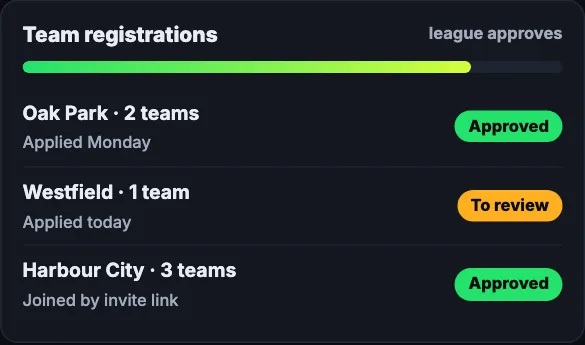
Player and team registration
Member clubs run player registration with card checkout to their own Stripe account, discounts, financial aid and a waitlist. Clubs join the league by its link and you approve their teams.
-
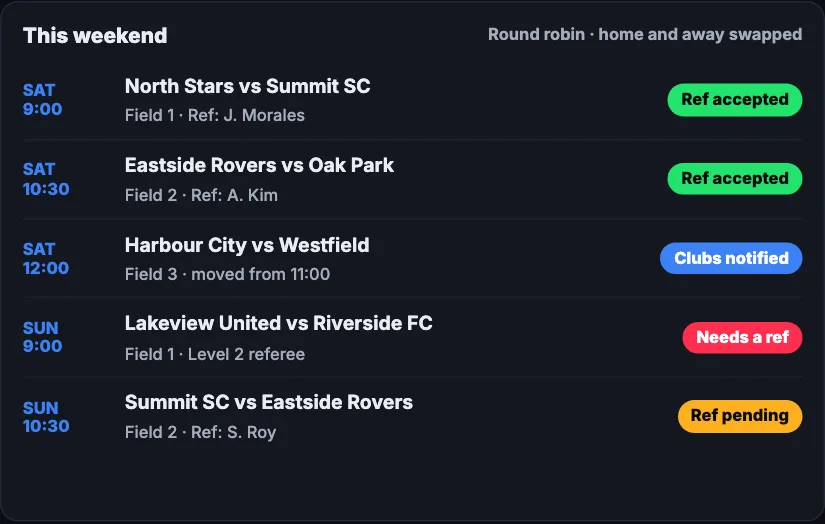
Season schedule
Generate a round robin on the fields and hours you hold. Edits after publishing are checked for clashes, and clubs get a notice when a game moves.
-
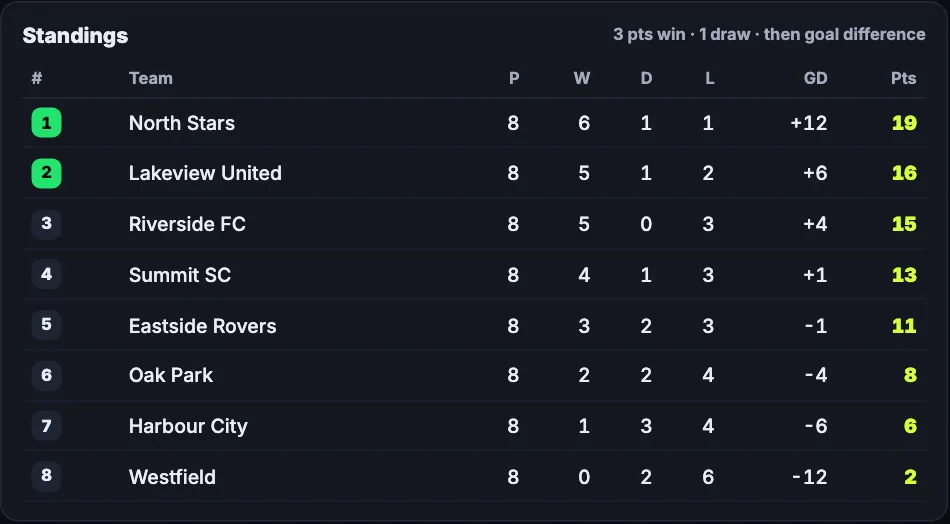
Results and standings
One club enters the score, the other confirms or disputes it, and the league can override. The table updates from confirmed results.
-
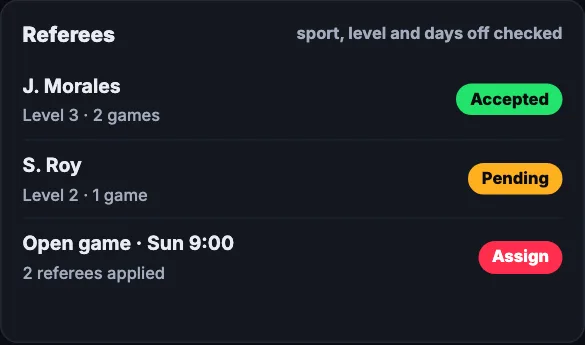
Referee assignment
Assign officials with checks for sport, level and days off. Referees accept, decline or hand a game back, and can apply for open games.
-

League fees
Set a fee per member club and collect it through the league's own Stripe account. Referee fees are tracked as owed and paid.
Sample league screens. Names and numbers are made up.
Your whole league in one dashboard
The four jobs in every league
However small the league, someone does each of these. Name a person for each one, even if one volunteer has two.
- Scheduler: builds the season, handles fixture changes and reschedules rain-outs.
- Results and standings: makes sure every game has a result, settles disputes and owns the table.
- Referee coordinator: puts a qualified official on every game and tracks what they are owed.
- Treasurer: collects league fees from member clubs and pays referees and venues.
A league president or secretary ties them together and handles communication with clubs.
Preseason: six to eight weeks out
Book the fields
Field time decides everything else. Confirm the hours and blackout dates for every field before you promise clubs a season length.
Open club and team registration
Share the league's join link, invite returning clubs, and approve teams into divisions. See league registration software.
Set the league fee
Decide the fee per member club and how it is paid. See league fee collection.
Write the rules down
Game rules, the tiebreaker order, the dispute process, the forfeit rule and the code of conduct, in one document clubs receive before the season.
Building the schedule
Generate the season once registration closes. A round-robin generator with your field slots does in seconds what takes a volunteer an evening, and it does not double-book a team. The how to schedule a league season guide walks through it, and the sports scheduling software page explains the generator.
The weekly routine in 5 steps
- Monday: results. Check every weekend game has a result. Chase the missing ones and look at anything disputed.
- Tuesday: disputes and standings. Settle disputes using referee reports, then check the table.
- Wednesday: referees. Look at the coming weekend. Fill unassigned games and follow up on officials who have not accepted.
- Thursday: changes. Answer fixture-change requests and check the weather forecast for the weekend.
- Friday: tell everyone. Send one league message with anything unusual: a moved game, a field closure, a reminder.
When things go wrong
A game is rained out
Move or call off the game on the published schedule so clubs get the notice, then find a new slot that does not clash.
Two clubs report different scores
Ask both clubs and the referee. Decide by the league rules and record the final score.
A referee drops out on game day
Keep a short list of officials willing to take late games. Posting the game as open lets referees apply for it.
Where Play 2 Earn Sports fits
Play 2 Earn Sports keeps all four jobs in one place: the round-robin generator with field slots and clash checks, results one club enters and the other confirms, referee assignment with level and days-off checks, league fees per member club through the league's own Stripe account, and league messages to every member club. It is free for clubs and leagues, with a US$3.99 platform fee per registration that the club covers by default. See league management software.
Season checklist
- Every field's hours and blackout dates are confirmed.
- Each of the four jobs has a named person.
- Rules, tiebreakers and the dispute process are written and sent.
- Registration closes before the schedule is generated.
- There is one weekly admin day and everyone knows it.
- Every change goes through the published schedule.
- End-of-season standings are reviewed before awards are announced.
Questions
At least one person for each of the four jobs (schedule, results, referees and money), plus someone to lead. In a small league one volunteer can hold two jobs.
It depends on the size of the league. The more of the schedule, results and referee work runs in one system, the less time the weekly routine takes, because the arithmetic and the notices are done for you.
Something that handles the schedule, results and standings, referees, team registration and league messages together. Play 2 Earn Sports does all of these.
Write the forfeit rule into the league rules before the season: when a team forfeits, what score is recorded and whether there is a penalty. Then enter that score as the result.
Use one channel for official news, not personal texts. In Play 2 Earn Sports the league messages member clubs and runs a league chat workspace.
More: League management software · Sports scheduling software · How to schedule a league season · League standings software · Referee scheduling software
Run your whole league in one place
Play 2 Earn Sports is free for clubs and leagues, with a US$3.99 platform fee per registration that the club covers by default and can pass on to families. A free program has no fee.
Create your free league