

On this page
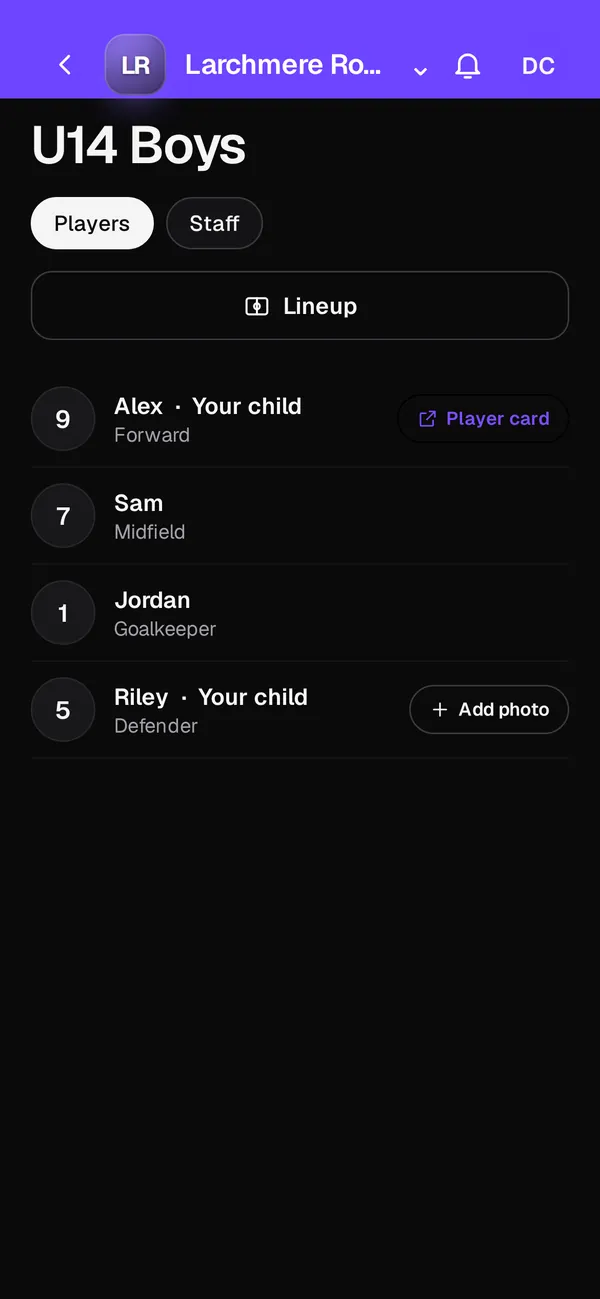
A club roster app should hold all your teams' players, guardians and coaches in one place, and it shouldn't make you retype a list you already have. Club OS by Play 2 Earn Sports imports your roster from a spreadsheet (CSV), places players on teams with formation positions, and lets you choose who can view or edit each roster. The features run on Play 2 Earn Sports, in the web app on any phone or computer.
What a club roster app should do
For one team, a roster is a list of names. For a club, it's the base that everything else runs on: who sees which schedule, who's in which Team Chat channel, which guardian belongs to which player, and who owes which club fee. If the roster lives in a spreadsheet, every change has to be copied into each of those places by hand.
How Club OS manages rosters
-
Import a CSV with a column map
Export your roster from TeamSnap, LeagueApps, SportsEngine, TeamLinkt, Sports Connect, PowerUp or another source as a CSV. Upload it and match each column to the right field.
-
Formation positions
Place players in formation positions for your sport, and use the same roster for lineups and formations on the coach dashboard.
-
Permissions for who can view or edit
Choose who can view a roster and who can edit it, so a volunteer can help with one team without changing another.
-
Guardians linked to their children
Each guardian is linked to their own child. That link decides what the family sees and brings the guardian into adult-to-minor chats.
-
Volunteer roles
Give people roles such as Team manager, Tournament manager, Volunteer, Director of coaching or Club staff, with permission switches for each role.
Where your roster can come from
| Source | How it comes into Club OS |
|---|---|
| TeamSnap | Export a CSV, then import it with the column map |
| LeagueApps | Export a CSV, then import it with the column map |
| SportsEngine | Export a CSV, then import it with the column map |
| TeamLinkt, Sports Connect or PowerUp | Export a CSV, then import it with the column map |
| Your own spreadsheet | Save it as a CSV, then import it with the column map |
| New families | They join free through your club's join link or join page |
What the roster connects to
Once players are on a roster, the rest of the club follows. They see their team's games, practices and events in one schedule and answer RSVPs. They're in the team's Team Chat channels. Coaches take attendance, run player evaluations, and build lineups. Club fees are tracked per family, and each player gets a profile with stats and awards for their sport.
Keeping young players safe on the roster
The roster also drives the safe-sport rules. For players under 14, the parent operates the account, and those players can only DM teammates. A private chat between an adult and a minor brings in the guardian until 18. A child's public name or photo shows only if a parent opts in.
Import your club's roster in 4 steps
-
Export from your current system
Download your roster as a CSV from the system you use now.
-
Upload and map the columns
Upload the file and match each column to the field it belongs to.
-
Check teams and positions
Review each team and place players in formation positions if you use them.
-
Set permissions and invite families
Choose who can view or edit each roster, then send your join link so families connect to their players.
Questions
Yes. Export a CSV from TeamSnap and import it with the column map. The same works for LeagueApps, SportsEngine, TeamLinkt, Sports Connect, PowerUp and other sources.
You choose. Roster permissions decide who can view and who can edit, and volunteer roles come with their own permission switches.
No. Club OS is free to join, including loading your roster. The only charge is a per-player fee, taken when a player registers.
Yes. Play 2 Earn Sports supports 18 sports, with formation positions, stats and awards for each.
No. Rosters work in the Play 2 Earn Sports web app on any phone or computer.
