
League standings software
League standings software that updates from confirmed results
One club enters the score, the other confirms it, and the table updates itself, next to registration, schedules and referees.
Good morning, Riverside Youth League. 3 results are waiting for the other club to confirm, 2 games still need a referee, and Westfield has applied to join with 1 team.
Demo league · sample data · nothing savesSample league dashboard. Not a real league; names and numbers are made up.
League standings software keeps your table current without a spreadsheet. In Play 2 Earn Sports one club enters the final score, the other club confirms it or raises a dispute, and the league can override any result. Confirmed results feed the table, which sorts itself with 3 points for a win and 1 for a draw, then goal difference and goals scored.
One platform for the whole league
-
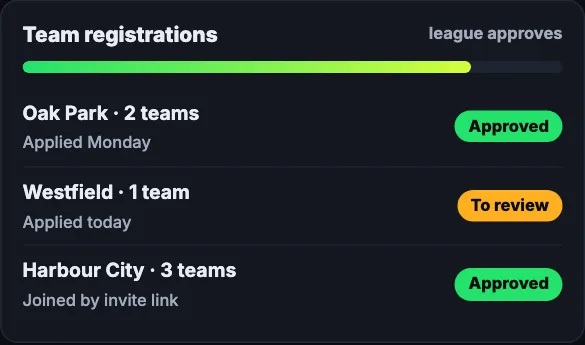
Player and team registration
Member clubs run player registration with card checkout to their own Stripe account, discounts, financial aid and a waitlist. Clubs join the league by its link and you approve their teams.
-
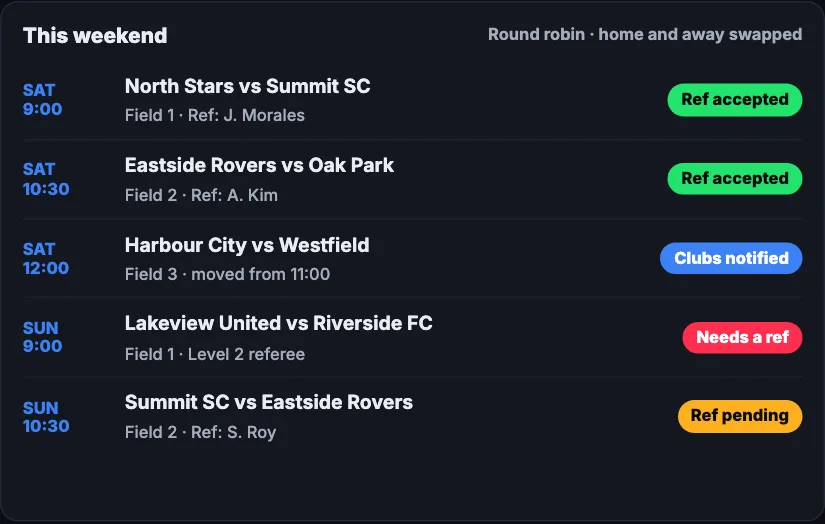
Season schedule
Generate a round robin on the fields and hours you hold. Edits after publishing are checked for clashes, and clubs get a notice when a game moves.
-
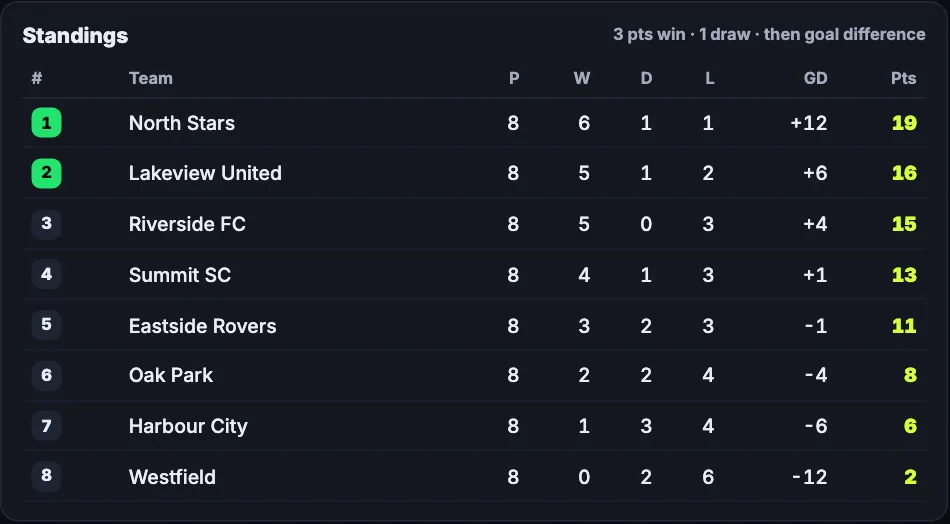
Results and standings
One club enters the score, the other confirms or disputes it, and the league can override. The table updates from confirmed results.
-
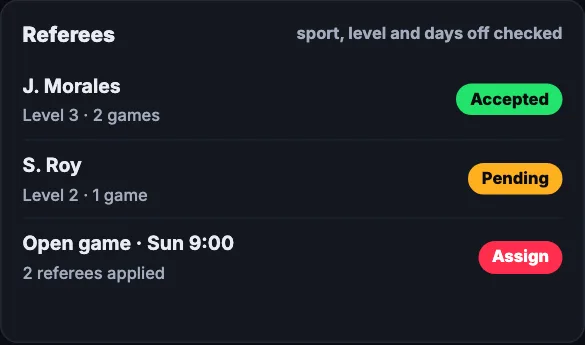
Referee assignment
Assign officials with checks for sport, level and days off. Referees accept, decline or hand a game back, and can apply for open games.
-

League fees
Set a fee per member club and collect it through the league's own Stripe account. Referee fees are tracked as owed and paid.
Sample league screens. Names and numbers are made up.
How league standings update themselves
What league standings software does
A league table looks simple, but behind it sits a weekly chore: chase every score, check it against the other team's version, type it into a spreadsheet, fix the formula someone broke, then send the new table to every club. Each step is a place where a wrong number gets in, and a wrong number in a table is the kind of mistake parents and coaches notice.
Standings software moves that work to the people who were at the game. The clubs report the result, the system does the arithmetic, and the league only steps in when the two sides disagree. The table is built from the same games that sit on your league schedule, so a result can only be entered for a game that was actually scheduled.
How Play 2 Earn Sports keeps the table right
One club enters, the other confirms
After the game, one club enters the final score. The other club sees it and either confirms it or raises a dispute. A result both clubs agree on is the one that counts, which removes most of the back-and-forth a league secretary used to handle by email.
Disputes go to the league
When a club disputes a score, the result waits for the league. League staff review it on one page, alongside every other result, and can override it with the correct score. The table follows the league's decision.
Points, then goal difference, then goals scored
The table awards 3 points for a win, 1 for a draw and none for a loss. Teams level on points are separated by goal difference, then by goals scored. If your league uses other tiebreakers, such as head-to-head, write them in your league rules and apply them when you review the final table; the tiebreaker guide covers the common ones.
Results and schedule in the same place
Because standings come from scheduled games, a postponed game stays on the schedule until it is played and reported. You never have a result in the table for a game the schedule says did not happen.
Set up standings for a season in 5 steps
- Build the division. Add the teams in each division. Member clubs join your league by its join link or an invitation, then register their teams for the league to approve.
- Generate the schedule. Generate a single or double round robin for the division with home and away swapped. The sports scheduling software page explains the generator, the field slots and the blackout dates.
- Tell clubs how results work. Before week one, tell every club who enters scores, how quickly the other club should confirm, and what counts as a dispute. Put it in a league message so it is in writing.
- Review open results each week. Pick one day a week to look at the results page: anything waiting for confirmation, and anything disputed. Settle disputes with the referee's match report where you have one.
- Share the table with clubs. Member clubs see the standings in their account. Play 2 Earn Sports does not publish a public standings web page, so if you post a table on your own website, copy it from the league view after you review the week's results.
Standings checklist for league staff
- Every team in the division is approved and named the way the club wants it shown.
- The schedule is locked and published before the first game.
- Clubs know who enters the score and the deadline for confirming it.
- The league's tiebreaker order is written in the league rules.
- One person on league staff owns dispute review each week.
- Referee match reports are filed for games that may be disputed.
Manual table vs standings software
| Task | Spreadsheet table | Play 2 Earn Sports |
|---|---|---|
| Collecting scores | League secretary chases each club | One club enters the score after the game |
| Checking a score | Compare two emails by hand | The other club confirms or disputes it |
| Calculating points | Formulas someone maintains | 3 for a win, 1 for a draw, sorted for you |
| Breaking ties | Manual | Goal difference, then goals scored |
| Wrong score | Find and fix the cell | League overrides the result |
Questions
Yes. Standings come with Play 2 Earn Sports, which is free for clubs and leagues, with a US$3.99 platform fee per registration that the club covers by default and can pass on to families. A free program has no fee, and there is no extra charge for the standings.
When both clubs agree on a result, or the league overrides a disputed one, the table re-sorts. Teams are ordered by points (3 for a win, 1 for a draw), then goal difference, then goals scored.
The second club disputes the score instead of confirming it. The result then waits for league staff, who review it and set the correct score. The table uses the league's decision.
Not today. Play 2 Earn Sports does not offer public standings pages. Clubs and league staff see the table in their accounts, and a league can copy it to its own website.
The table uses points, then goal difference and goals scored, which are the scores entered for each game. Leagues whose sport ranks teams another way should check that this order matches their rules before the season.
More: League management software · Sports scheduling software · League standings maker · League score reporting · League tiebreaker rules · Settling standings disputes
Run your whole league in one place
Play 2 Earn Sports is free for clubs and leagues, with a US$3.99 platform fee per registration that the club covers by default and can pass on to families. A free program has no fee.
Create your free league