


Free carpool planner · no account
Team carpool organizer: run a fair rotation
The carpool organizer's job is to make the plan visible and let parents do the claiming. Add the trips, share one link, watch for trips that need a driver, and use the driver swap when plans change. You should not be the one moving names around.
- No account
- No download
- First names only
How it works
Three steps, one link
No account for you and none for the parents. Everything happens in the browser on their phone.
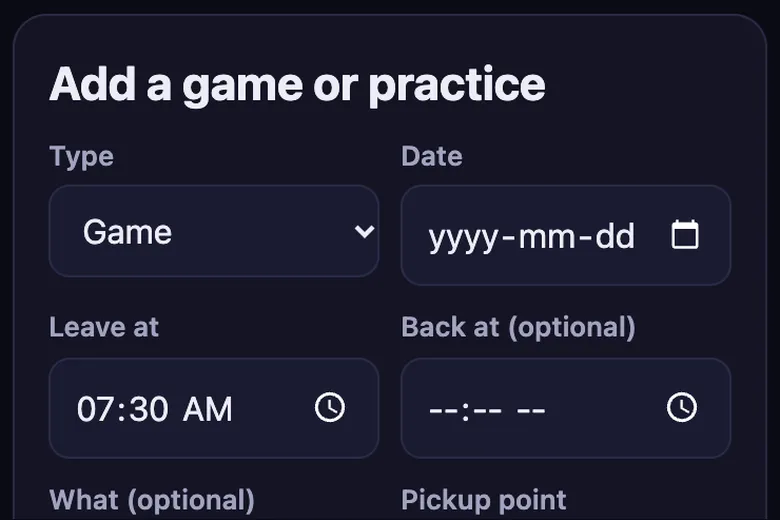
1. Add your trips
Games, practices and tournaments with the time and the meeting spot. Repeat a week in one tap.
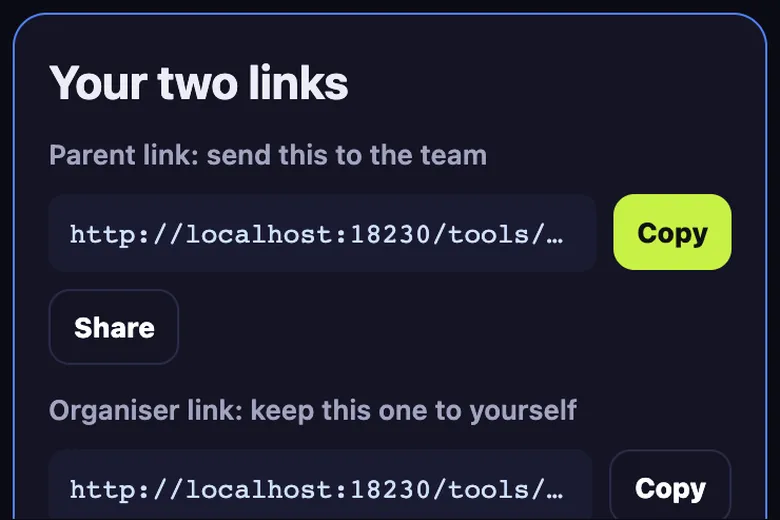
2. Share one link
Paste the parent link in the team group chat. Drivers add their car and how many seats they have.
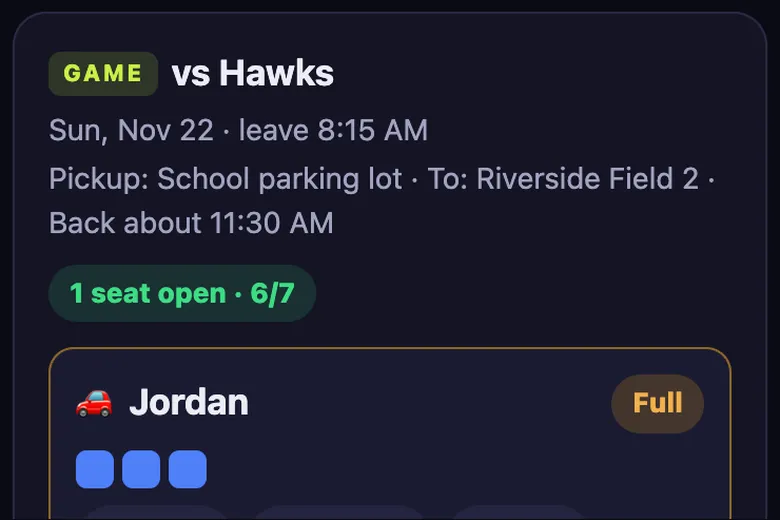
3. Parents claim seats
Each parent taps a car and adds their kid. Full cars close, so nobody is double booked.
Set it up so you are not the bottleneck
Add the trips yourself, because you have the schedule. Then let drivers add their own cars and parents claim their own seats. Every claim you do by hand is one more message to answer.
Keep your organiser link private. It lets you change trip times and delete trips. The parent link lets people drive and claim seats, but not change the schedule.
Keeping the rotation fair
- Look at Who's riding with whom once a week and count drives per family
- Post the group chat summary when a trip still needs a driver, a few days ahead
- Ask families who cannot drive to cover snacks or scorekeeping instead
- Put the far away games out first so they are shared
Last-minute changes
When a driver cancels, another parent can press Swap driver on that car, type their name and seat count, and every kid stays in the car. Nobody has to reclaim a seat.
If the new car has fewer seats, the swap is refused until riders move, so a kid is never dropped silently.
A start-of-season checklist
Ten minutes before the first practice saves hours of messages later.
- Add every practice and the first month of games
- Pick one pickup point per venue with easy parking
- Share the parent link in the group chat with a one-line ask: add your car if you can drive
- Ask drivers to count seats with booster seats and gear in
- Bookmark your organiser link on your phone
- Check the trips a few days before each weekend and post the summary if one still needs a driver
What you get
Everything a team carpool needs
Seat limits per car
Each driver sets their seats. The car shows seats left and closes when it is full.
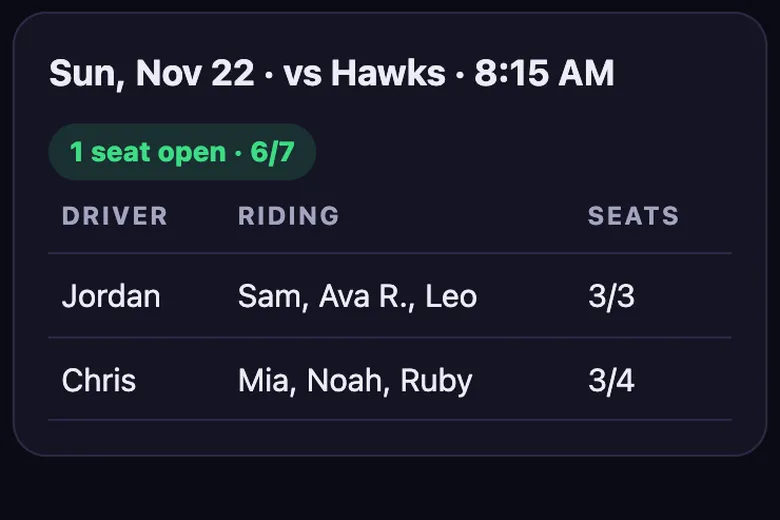
Who rides with whom
One view lists every kid with their driver and trip, so pick-up is never a guess.
Driver swap
If a driver drops out, swap in a new one and the riders stay in the car.
Add to calendar
Download trips as a calendar file, for the whole team or just your kid.
Group chat text
Copy a tidy summary of drivers and seats left and paste it in the team chat.
No account
No sign-up and no app. Kids by first name or initials, deleted after 120 days.
Compare
Carpool planner vs SignUpGenius, a Google Sheet or a group text
General sign-up tools and spreadsheets can work. This one is built only for team carpools.
| Feature | Carpool planner | SignUpGenius | Google Sheet | Group text |
|---|---|---|---|---|
| Seat limit per car, full cars close | ✓ | Slot limits per sign-up | Manual | No |
| Who rides with whom view | ✓ | No | Build it yourself | No |
| Swap a driver and keep the riders | ✓ | Edit by hand | Edit by hand | No |
| No account or app for parents | ✓ | Organiser needs an account | Depends on sharing settings | ✓ |
| Kids by first name, auto-deleted | ✓ | No | No | No |
| Price | Free | Free plan with ads, paid tiers | Free | Free |
Based on each product's general features as of November 2026. SignUpGenius is a trademark of its owner; no connection is implied.
Questions
Carpool questions parents ask
Can there be more than one organizer?
Anyone with the organiser link can edit trips. Share it with a co-organizer you trust.
What if I lose the organiser link?
There is no account to recover it from, so bookmark it or keep it in your notes. You can still use the parent link to see the plan.
Can parents change the schedule?
No. Parents can add cars, swap drivers and claim or free seats. Only the organiser link changes trips.
Guides
More carpool guides