

In this guide
- An example: the Tuesday after the deadline
- Why late registration turns into a fight
- What can go wrong
- Step 1 — publish one clear deadline, early
- Step 2 — a countdown reminder plan
- Step 3 — decide the late policy in advance
- Step 4 — a private hardship route
- How to say no kindly
- Worked example — a dated countdown and a late-request log
- How Play 2 Earn Sports supports this
- Frequently asked questions
- Related guides
A planning scenario: A family asks to join after registration closes, but the team is full. Who decides whether an exception is possible, and what should the club say?
Watch the late registration policy guide
An example: the Tuesday after the deadline
Illustrative example, not a specific club.
Registration closed on Friday. On Tuesday, a parent messages a youth lacrosse coach: they were travelling, they forgot, can their child still join? The team is already full and the uniform order has gone in.
- The coach doesn't know the rule, so says "I'll ask."
- The registrar remembers that another family got in late last year.
- Two board members disagree by email.
- Without a named decision-maker or written rule, the answer may be delayed or feel inconsistent.
Nobody did anything wrong. The club just never decided the answer before the question arrived.
Why late registration turns into a fight
- The deadline was hard to find. It may have been in one email, on a poster, or mentioned at the end of last season.
- The rules change by family. One late exception becomes the precedent everyone remembers.
- Decisions are made in the moment, by whoever happens to answer.
- The coach can become the gatekeeper, because parents may ask the person they know.

What can go wrong
- Plans may need changing. Rosters, uniform orders, venues and referee assignments may depend on team numbers.
- Inconsistent exceptions can undermine the deadline for families who registered on time.
- Volunteers must answer difficult questions without a shared policy. A registrar who decides alone carries the blame for every no.
- Late joiners can miss the start. A player who joins after team formation may miss the first practices, the uniform order and the team's first messages, and may feel like an outsider from day one.
Step 1 — publish one clear deadline, early
- One date and one time, for example "Sunday at 11:59 p.m."
- One place that everything points to: your registration page.
- What happens after it, written right next to the date.
- Weeks ahead, not days, and in the welcome-back message to returning families.
Write the deadline the same way everywhere. "Registration closes Sunday, August 10 at 11:59 p.m. Eastern" is harder to misread than "mid-August". If you run several programs (a basketball house league, a volleyball club team and a baseball travel team, say), give each one its own line rather than a single "registration deadline" that only applies to some.
Step 2 — a countdown reminder plan
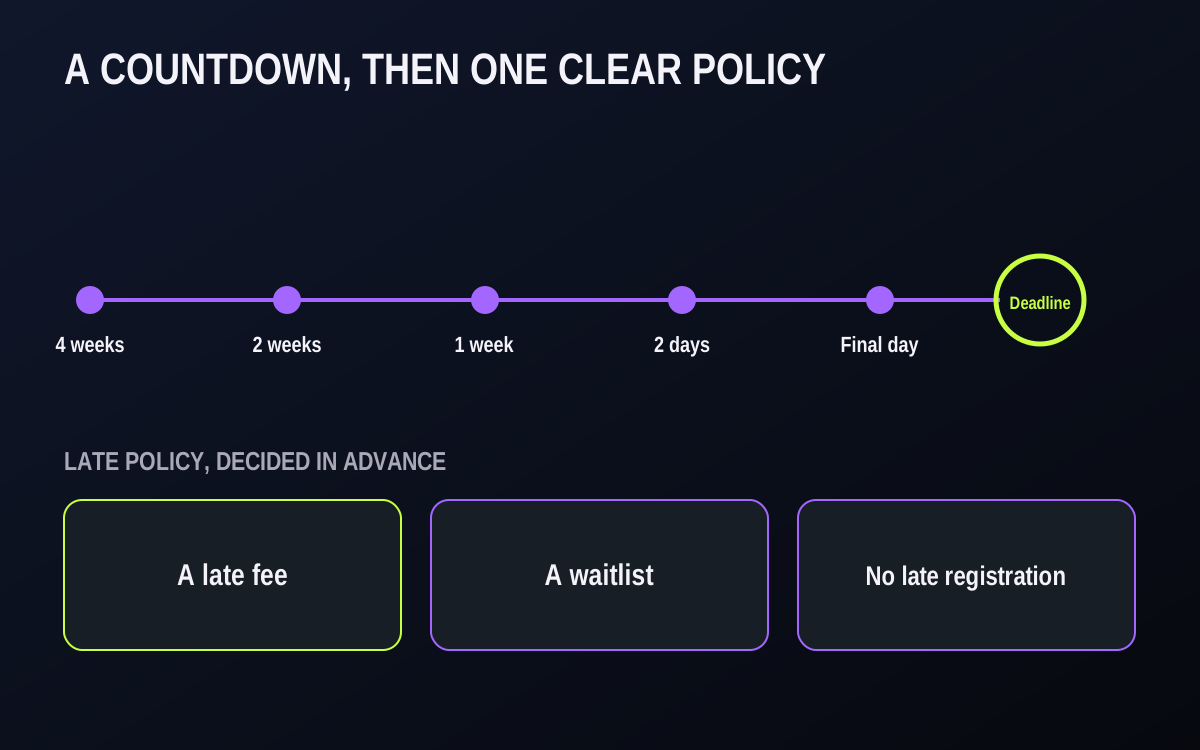
Send the same short reminder to families in the announcement audience, from the club, on a plan you set before registration opens. For example:
| When | Message |
|---|---|
| 4 weeks before | Registration is open. Deadline, link, what happens after. |
| 2 weeks before | Reminder, plus who to contact with questions. |
| 1 week before | "One week left." |
| 2 days before | "Two days left. After [date], [late policy]." |
| Final day | "Registration closes tonight at [time]." |
Keep each one short: the date, the link and what happens after. Send them as club announcements, separate from team chats, so the intended audience gets the same official wording.
Step 3 — decide the late policy in advance
Pick one before registration opens, write it down, and publish it with the deadline.
- A late fee during a short grace period (for example, one week), after which registration closes.
- A waitlist. Late families are placed only if a spot opens, in the order they asked.
- No late registration. The next chance is the next session or season.
Any of the three can work. What doesn't work is deciding family by family. Apply it to everyone: board members' children, strong players, and families who ask very nicely.

Step 4 — a private hardship route
Some families miss the deadline for real reasons: a move, an illness, a job loss, a family crisis. Give one named, private contact who can approve an exception, using criteria the board agreed in advance. Keep a short note of each decision so the next registrar can be consistent. Exceptions stay fair, private and out of the coach's hands.
How to say no kindly
Thank them, state the policy simply without apologizing for it, and offer the next step.
Hi [name], thanks for getting in touch about [child]. Registration closed on [date] and our [age group] teams are now full. We've added [child] to the waitlist and will contact you first if a spot opens. Registration for [next session] opens on [date], and we'd love to see [child] then.
Coaches can reply with one line: "Thanks for asking. Registration questions go to [registrar], who'll get back to you."
Worked example — a dated countdown and a late-request log
Illustrative example, not a real club.
A multi-sport club opens fall registration on July 13 and closes it on Sunday, August 10 at 11:59 p.m. Its late policy, chosen in June, is a one-week waitlist: late requests are placed only if a spot opens, in the order received. Here is the countdown with dates filled in.
| Date | Audience | Message | Channel |
|---|---|---|---|
| June 29 | Returning families | "Fall registration opens July 13 and closes August 10. Here is what changes this year." | Club announcement + email |
| July 13 | Everyone | "Registration is open. Deadline: Sunday, August 10, 11:59 p.m. After that, late requests go to a waitlist." | Club announcement, website banner |
| July 27 | All club families | "Two weeks left. Questions? Contact [registrar]." | Club announcement |
| August 3 | All club families | "One week left." | Club announcement |
| August 8 | All club families | "Two days left. After Sunday, new requests join the waitlist." | Club announcement |
| August 10 | All club families | "Registration closes tonight at 11:59 p.m." | Club announcement |
| August 11 | Website | Banner changes to "Registration closed. Join the waitlist." | Website |
Keep a late-request log. One row per request, kept by the registrar:
| Received | Age group | Reason given | Decision | Decided by | Reply sent |
|---|---|---|---|---|---|
| Aug 12 | U11 | Missed the emails while travelling | Waitlist, position 2 | Registrar (policy) | Aug 12 |
| Aug 14 | U14 | Family moved to the area this week | Hardship exception approved | Hardship contact | Aug 15 |
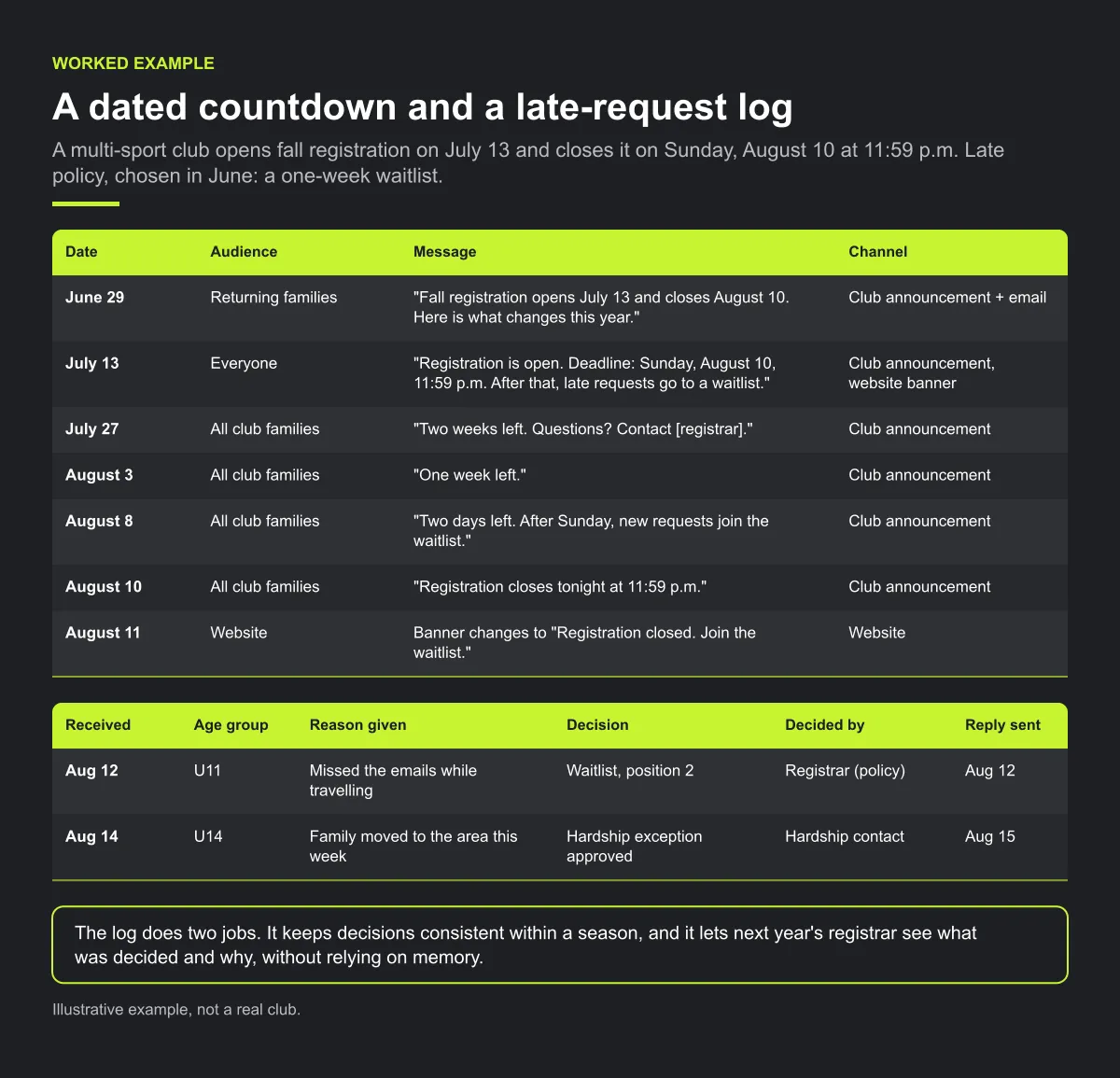
The log does two jobs. It keeps decisions consistent within a season, and it lets next year's registrar see what was decided and why, without relying on memory.
Checklist: before registration opens
- One deadline per program, with date, time and time zone.
- The late policy is chosen, written and published next to the deadline.
- Countdown dates are in the registrar's calendar, with the wording drafted.
- A named, private hardship contact and the agreed criteria.
- Coaches have the one-line redirect for registration questions.
- A late-request log is set up.
- The website shows the deadline and changes after it passes.
Common mistakes
- Extending the deadline quietly. A silent extension for one group tells everyone else the date was never real. If you extend, announce it to all.
- Reminders that only say "don't forget". Each reminder needs the date, the link and what happens after.
- Letting the coach decide. The coach knows the family and wants to help, which is exactly why the decision belongs to the registrar.
- No reply to late requests. A family left waiting for days may assume the answer is no and look elsewhere. Reply within the time your policy states, even if the reply is "you're on the waitlist".
How Play 2 Earn Sports supports this
- Registration in the same place as the club's schedule, announcements and team chat.
- Club announcements for your countdown. The club sends each reminder as an official announcement, separate from team chat, with consistent wording for its intended audience.
- League team-registration deadlines. When a league opens team registration, it can set a deadline for teams.
- A late fee, recorded as a due. If your policy includes a late fee, the club can record it as a due on that player with an amount and a due date, and send a private reminder.
- Your family policy stays your policy. Family cutoffs, late fees and waitlists are applied by a person at your club, using the rules you wrote down. The software does not decide them for you.
See how a club runs registration reminders as official announcements.
Frequently asked questions
Decide your late policy before registration opens (a late fee, a waitlist, or no late entries), publish it next to the deadline, apply it to everyone, and keep one private route for real hardship.
It can work if it's announced in advance, applies for a short grace period only, and is the same for every family. Some clubs prefer a waitlist so late families don't pay more for a spot that may not exist.
For example, five: four weeks before, two weeks, one week, two days and the final day. Short, from the club, with the date, the link and what happens after.
Route it privately to one named contact who decides using criteria the board agreed in advance. Keep a short note so future decisions stay consistent.
"Thanks for asking. Registration questions go to [registrar]." Coaches shouldn't make or promise exceptions.
Starter is free for clubs with up to 10 teams. Pro is $49.67 USD a month for 11 to 25 teams. Unlimited is $99.67 USD a month for 26 or more teams. Every feature is on every plan, and players and parents are always included. See pricing.
Related guides
- Player retention guides: every player retention guide in one place.
- Club communication standards
- Club fee reminders that aren't awkward
- Sports league scheduling software
- Sports club management software
- Pricing
