

In this guide
The question league organizers ask: "We ended up with seven teams in our under-12 division. Every week one team has no game, families keep asking if they were forgotten, and one coach thinks his team got two byes. How do you schedule a league with an odd number of teams?"
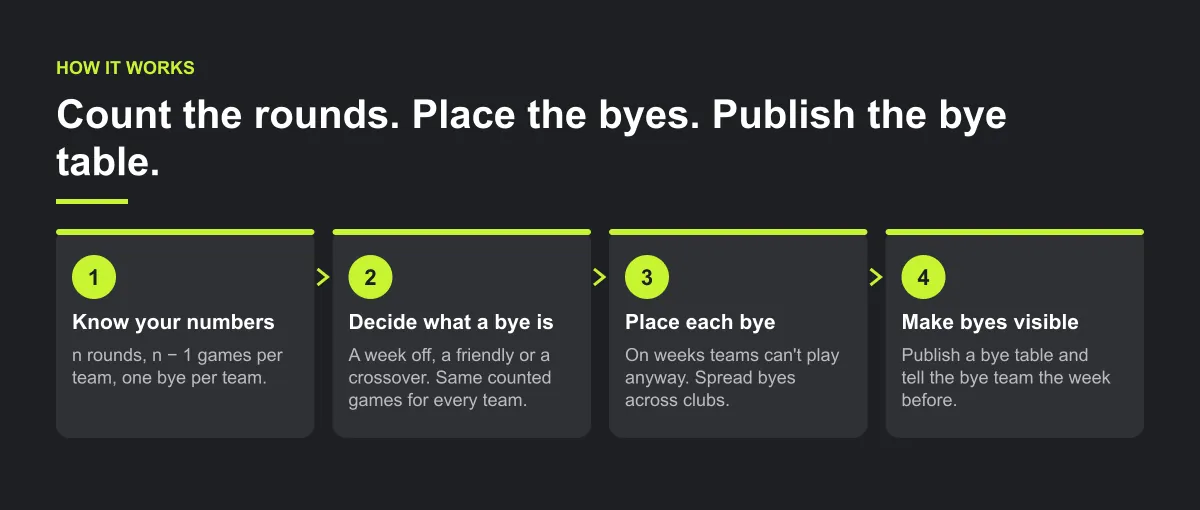
Why byes cause confusion
- Nobody explained them up front. Families find out on the Friday that their child has no game.
- The bye is invisible. When a schedule lists games only, a team with a bye may not appear that round, so it can look like a missing fixture.
- Byes land on sensitive weeks. An opening or final-round bye can feel especially disruptive to the affected team, even though one bye is required each round.
- Extra games are added without a rule. One team gets a friendly on its bye, another doesn't, and the standings stop being comparable.
Step 1 — know your numbers before you build
With an odd number of teams (n), a single round robin needs:
- n rounds, not n − 1. Seven teams take seven rounds, the same as eight teams.
- (n − 1) ÷ 2 games each round, with one team sitting out.
- n − 1 games per team, and exactly one bye per team.
- n × (n − 1) ÷ 2 games in total.
| Teams | Rounds | Games a round | Games per team | Byes per team | Total games |
|---|---|---|---|---|---|
| 5 | 5 | 2 | 4 | 1 | 10 |
| 7 | 7 | 3 | 6 | 1 | 21 |
| 9 | 9 | 4 | 8 | 1 | 36 |
A double round robin doubles every figure, including byes: two per team. These numbers are arithmetic, not product output.
Step 2 — decide what a bye week is
Write it down before the season:
A bye is a week off.
No game, and it does not count as a win, loss or draw.
Optional: a friendly or a practice.
If a field, rink or court slot is free, the bye team can use it. Friendlies never count in the standings.
Optional: a crossover game.
If two divisions of a similar level both have a bye team the same week, they can play each other. Decide in advance whether it counts, and if it does, make sure every team gets the same number of counted games.
The rule that matters: every team ends the season with the same number of counted games, so the standings stay fair.

Step 3 — put each bye on a sensible week
In a single round robin you can choose which round each team sits out, because the bye order is just the order you number the teams in. Use that.
- Match a bye to a week the team can't play anyway. If a team has a tournament or a school event, give it the bye that weekend.
- Plan the opening and final-round byes deliberately. One team must rest in each round, including the first and last. Assign those byes where they cause the least disruption, and tell the affected teams early.
- In a double round robin, space the two byes apart. Never two in a row.
- Spread byes across clubs. Two teams from the same club sitting out the same week leaves that club with an empty venue.
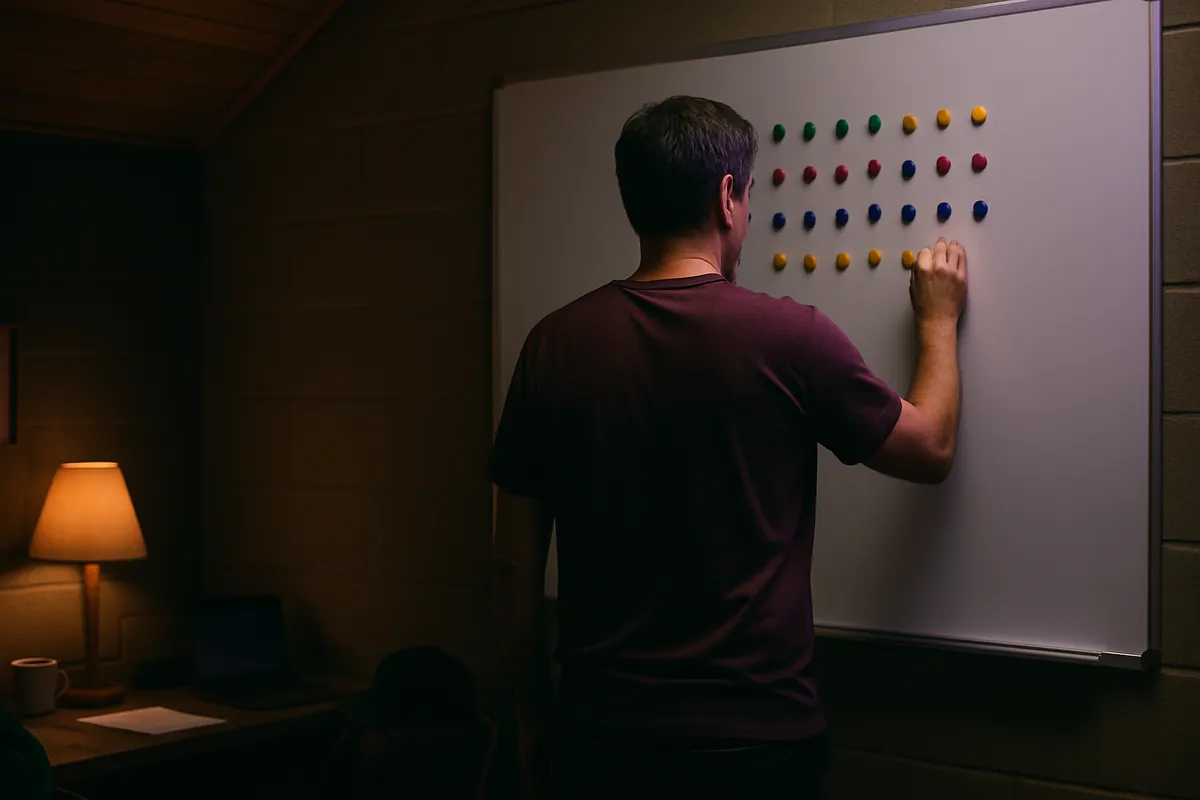
Worked example — 7 teams, 7 rounds, one bye each
Illustrative example, not a specific league.
A seven-team under-12 basketball division has 2 courts with 2 time slots each on Saturday, so 4 slots a round. Each round has 3 games (7 − 1 = 6 playing teams, so 3 games) and one team on a bye, which leaves one spare slot every week. The season needs 7 × 6 ÷ 2 = 21 games over 7 rounds.
Number the teams A to G and add an empty seat. Keep the empty seat fixed and rotate the others one place each round (the circle method). The team that lands on the empty seat has the bye:
| Round | Bye | Game 1 | Game 2 | Game 3 |
|---|---|---|---|---|
| 1 | A | B vs G | C vs F | D vs E |
| 2 | B | C vs A | D vs G | E vs F |
| 3 | C | D vs B | E vs A | F vs G |
| 4 | D | E vs C | F vs B | G vs A |
| 5 | E | F vs D | G vs C | A vs B |
| 6 | F | G vs E | A vs D | B vs C |
| 7 | G | A vs F | B vs E | C vs D |
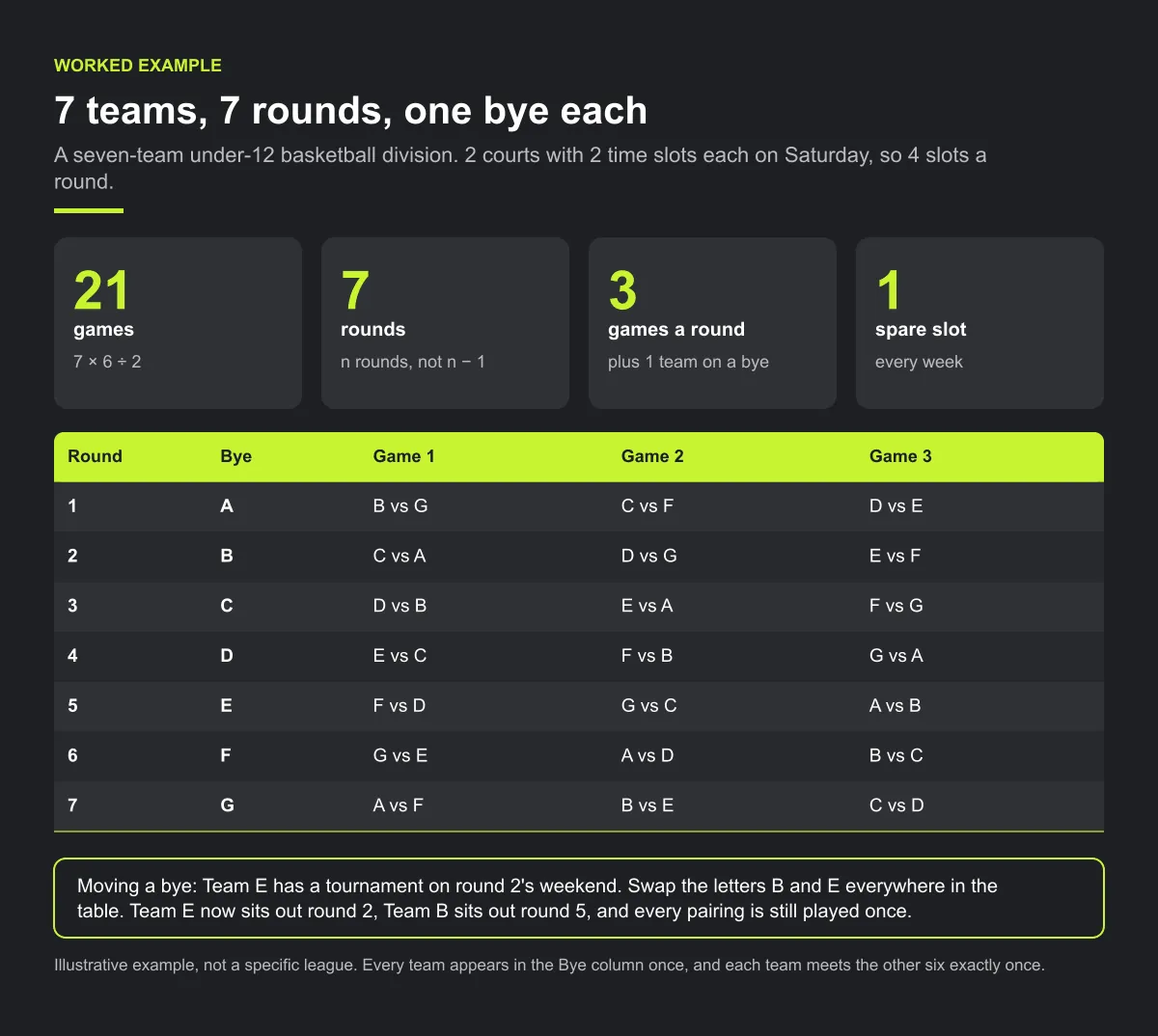
Check it: every row has 3 games and 1 bye, every team appears in the Bye column once, and each team meets the other six exactly once, for 21 games.
Moving a bye to a better week. Team E has a tournament on round 2's weekend, but the table gives that bye to Team B. Swap the letters B and E everywhere in the table. Team E now sits out round 2, Team B sits out round 5, and every pairing is still played once. Make swaps like this before you assign home and away and before you publish.
The spare slot. The fourth slot each week can host the bye team's friendly, a practice or a make-up. Your bye rule says which.
Step 4 — make the byes visible
- Publish a bye table with the schedule: one line per round, "Round 4: Team G has no game." Put it in the season welcome note too.
- Tell the bye team the week before, in the team's usual channel, so families can find the answer before Friday.
- Answer the "two byes" question with the table. One bye per team in a single round robin, and anyone can check.
- Mark the bye on the team's own calendar. If your schedule tool lists only games, add a calendar note or club announcement for the bye week, so the gap does not look like a missing fixture.
Checklist: an odd-numbered division
- Rounds = number of teams; games per team = teams − 1.
- Written bye rule: week off, friendly or counted crossover.
- Every team ends with the same number of counted games.
- Byes moved onto weeks teams already can't play.
- Opening and final-round byes assigned deliberately and told early.
- In a double round robin, no team has two byes in a row.
- Bye table published with the fixtures and in the welcome note.
Common mistakes
- Leaving the bye order to chance. Swapping team letters before publishing costs nothing; moving a bye after publishing means moving games.
- Letting some bye teams play counted games. If one team gets a counted crossover and another doesn't, the standings stop comparing like with like.
- Giving one club several byes in the same round. That club's families and venue sit idle while its other weekends are crowded.
Illustrative example, not a specific league.
Imagine a seven-team division that publishes fixtures with no bye table. Three families email the league in week two asking why their team has no game, and a coach thinks his team sits twice. A one-page bye table, sent with the fixtures, would give them a shared answer to check.
How Play 2 Earn Sports supports this
- League auto-scheduling handles odd numbers. With an odd number of teams, the schedule gives one team a week off each round, so every team still plays every other team. It builds the draft with round robin pairings, divisions, home and away balance and team availability, and flags field and team double-bookings.
- Byes are not labelled in the league schedule. A team with a bye is simply not listed in that round, and families do not get a bye-week notice. Publish your own bye table and tell bye teams in team chat or by club announcement.
- The free round robin generator shows every bye. Our free round-robin generator and league schedule maker show each bye as its own row, which makes a ready-made bye table.
- One connected schedule. Teams roll up to their clubs, and families see their own child's games. On a bye week, their child simply has no game listed.
Build an odd-sized division without the bye confusion.
Frequently asked questions
Add one empty seat and run the round robin as if the count were even. The team drawn against the empty seat has a bye that round. With n teams you need n rounds, and each team plays n − 1 games with one bye.
In a single round robin, six games each and one bye, over seven rounds, with three games a round and 21 games in total.
Yes, if every team gets the same number of byes and the same number of counted games. In a single round robin each team gets exactly one bye.
It can play a friendly or a practice if a slot is free, or a crossover game against another division's bye team. Decide in advance whether crossover games count, and keep every team on the same number of counted games.
The league scheduler gives one team a week off each round when the count is odd, but the league schedule does not label it: the team is simply not listed in that round. The free round-robin generator shows each bye as its own row, so use it for your bye table.
Starter is free for clubs with up to 10 teams. Pro is $49.67 USD a month for 11 to 25 teams. Unlimited is $99.67 USD a month for 26 or more teams. For leagues, Starter is free for up to 10 clubs, League Pro is $97.85 USD a month for 11 to 25 clubs, and League Unlimited is $196.35 USD a month for 26 or more clubs. Every feature is on every plan, and players and parents are always included. See pricing.
Related guides
- League scheduling guides: every league scheduling guide in one place.
- Round robin generator
- League schedule maker
- Sports league scheduling software
- Parents keep missing schedule changes
- Pricing
